The problem
Right now, your system is 40 open tabs.
Leave them open
Chrome slows down, and you still can't find the one you need.
Bookmark them
They go into a folder you never open again.
Close them
And hope you remember what was there.
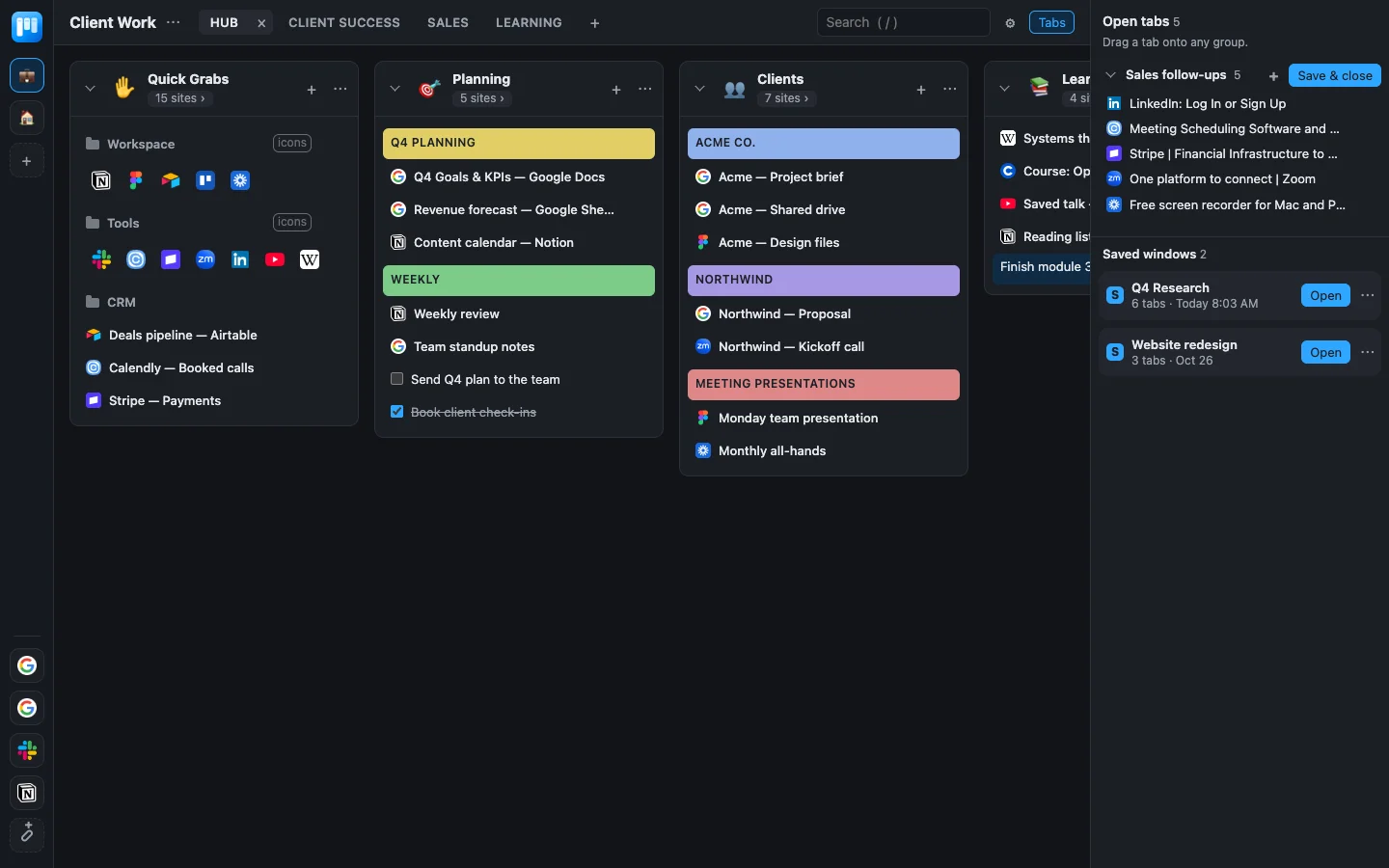
Tab Board gives your tabs a place to go: save them to a board, close the window, and get any of them back in one click.
How it works
Save it, close it, find it again.
Drag tabs onto columns
Every open window is listed in the sidebar. Drag a tab onto a column, or press + to put a whole window on the board.
Save & close a window
Done with a project for today? Save & close parks the whole window, checks that it saved, then closes it and frees up memory.
Reopen it later
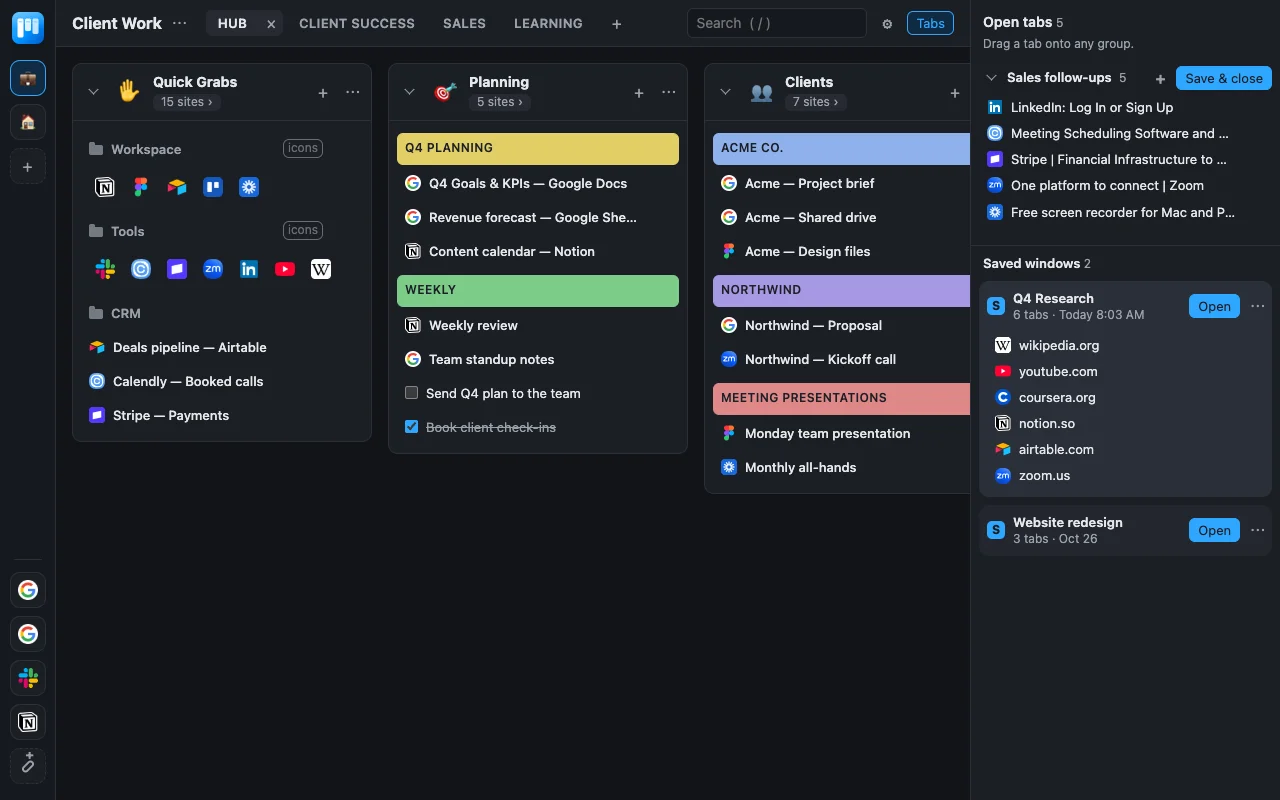
One click reopens the window under its name. Only the first tab loads. The rest wait until you click them, so nothing starts playing.
Find anything
Press / to search every saved link, note and to-do across all your workspaces.
Features
Organize it the way your work is organized.
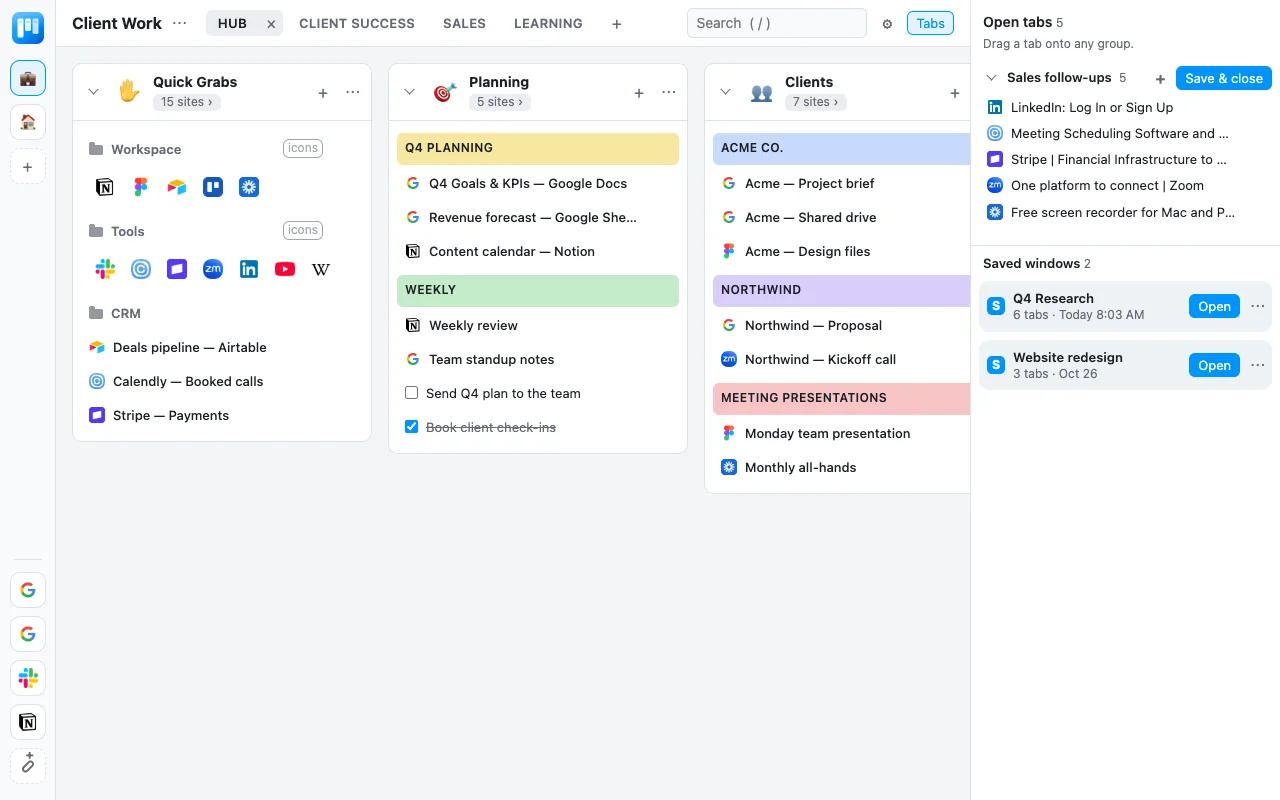
Workspaces and category tabs
One for each client, project or part of your life.
Colored headings and folders
Group links inside a column, or show a folder as a row of icons.
Notes, to-dos and snippets
Right next to the links they belong with.
Shortcuts in the left bar
The sites you open twenty times a day, one click away.
Named windows
"Q4 Research" instead of "Window 3".
Automatic backups
A copy of your board saved to your Downloads folder on days it changes.
Privacy
Your tabs never leave your computer.
Tab Board keeps everything in Chrome's storage on your own computer. There's no account and no Digital Vision server behind it. We never receive, see or store your tabs, links or notes.
- We don't collect your browsing data. Not your tabs, not your saved links, not your notes.
- Nothing is used for AI or model training. Or for advertising, and nothing is sold to anyone.
- It can't read the pages you visit. It only sees the titles and addresses of your tabs, and only to show them to you.
- Your backups are files in your Downloads folder. Delete them whenever you like.
FAQ
Questions
Is it free?
Yes. There's no paid plan and no limit on how many tabs you save.
Do I need an account?
No. Add it to Chrome and open a new tab. There's nothing to sign up for.
Where are my tabs saved?
In Chrome's storage on your computer. Tab Board also writes a backup file to Downloads/DV Tab Board Backups/ on days your board changes.
Does Digital Vision see my tabs or use them for AI?
No. The extension never sends your data anywhere. There's no server for it to send to. Nothing is used for AI or model training, advertising, or sold to anyone.
What happens if I uninstall it?
Chrome deletes the extension's saved data, but your backup files in Downloads stay. To bring your board back, reinstall Tab Board and use Settings, then Import backup.
Can my team share a board?
Not yet. Each person's board is their own, on their own computer.